AI-Powered Screen Capture for Mac
Capture every moment, let AI organize it, and turn your screen into actionable insights instantly for any languge.
Working with mails
Detect, Copy, Send Emails Instantly
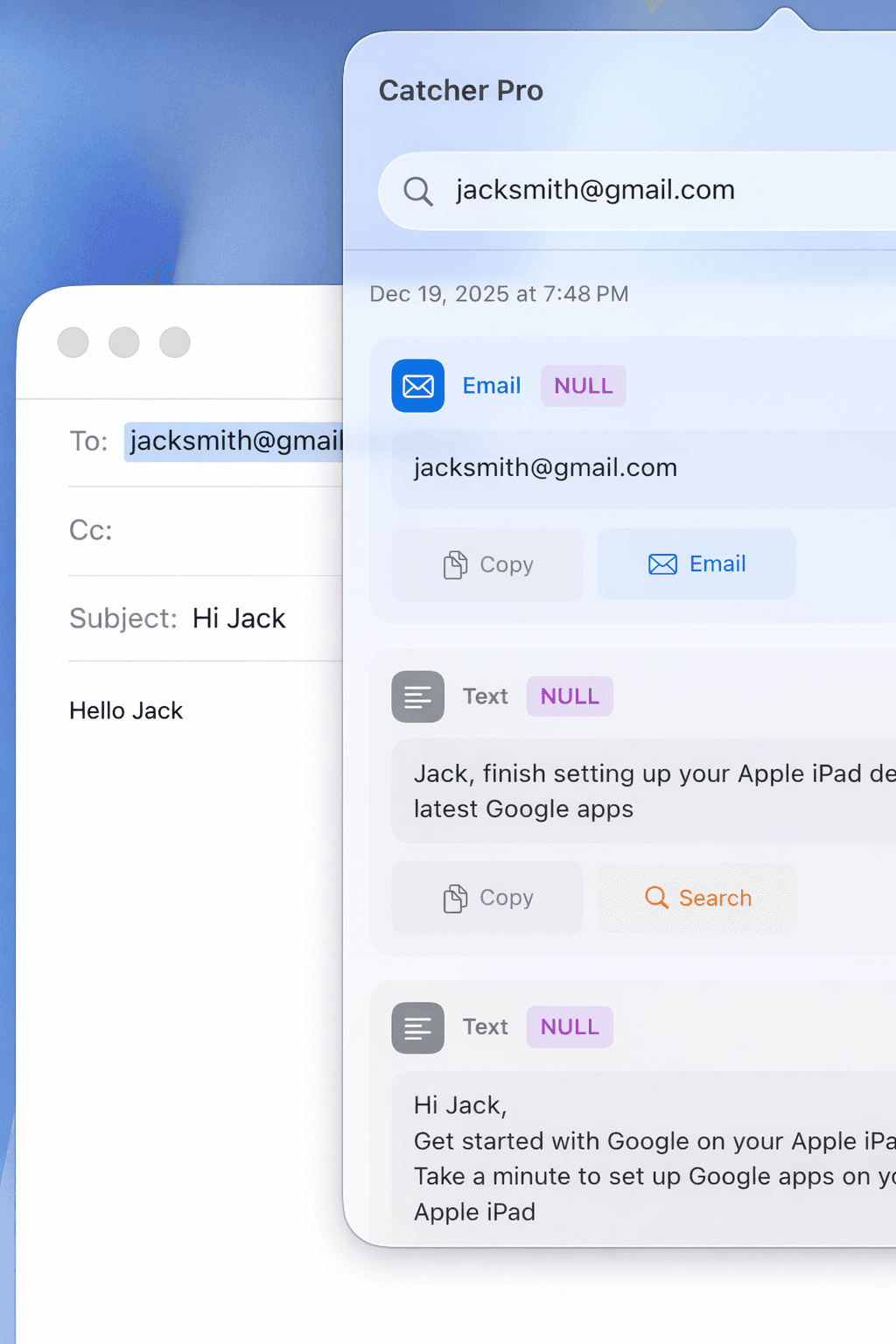
Catcher Pro automatically detects emails on your screen and lets you copy or send messages with a single click—saving you time and effort.
One Click
One Click
Detect
Detect
Add to lists
Add to lists
Send
Send
Working with mails
Detect, Copy, Send Emails Instantly
Catcher Pro automatically detects emails on your screen and lets you copy or send messages with a single click—saving you time and effort.
One Click
Detect
Add to lists
Send
financial management
AI Organizes Your Text Instantly
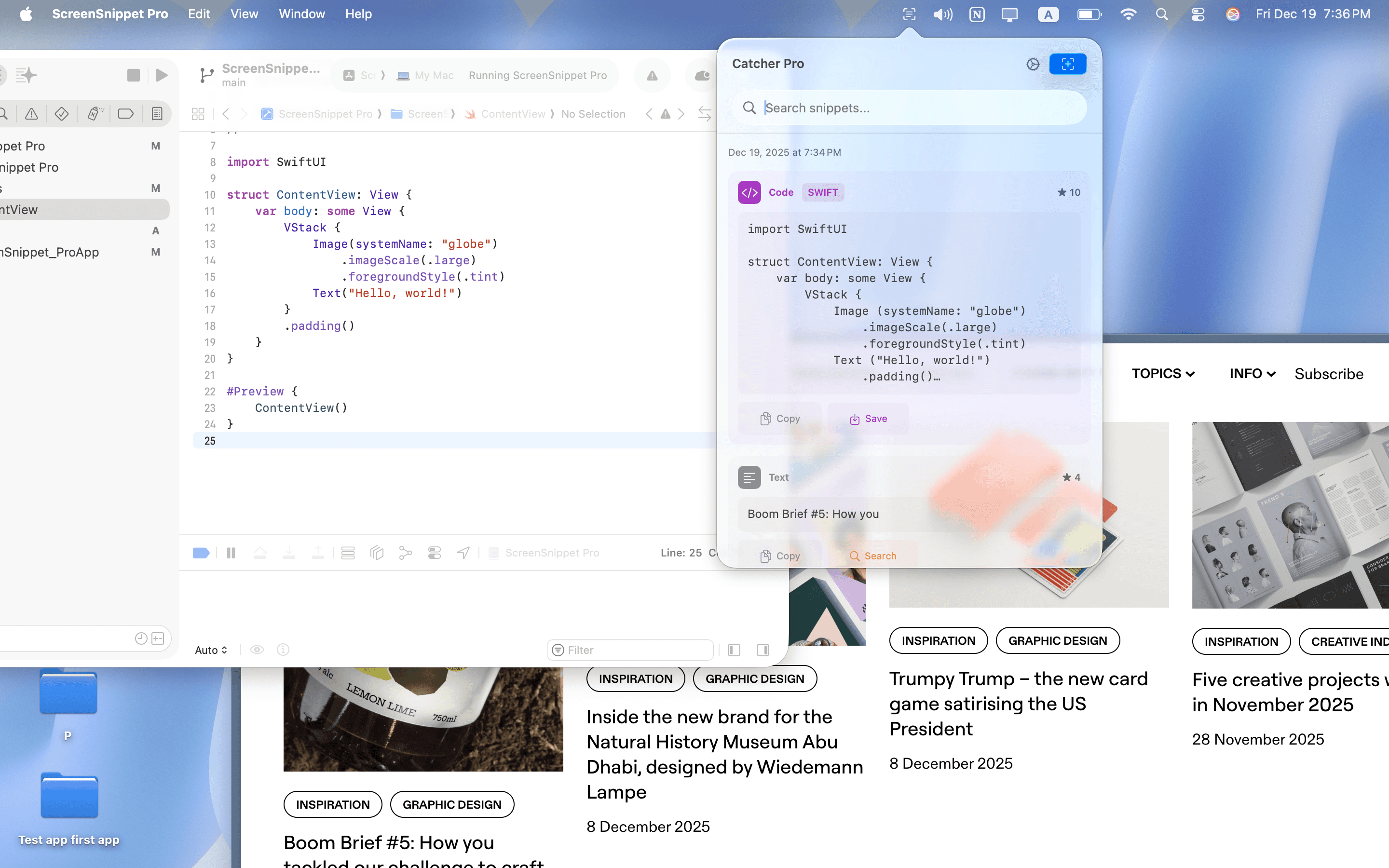
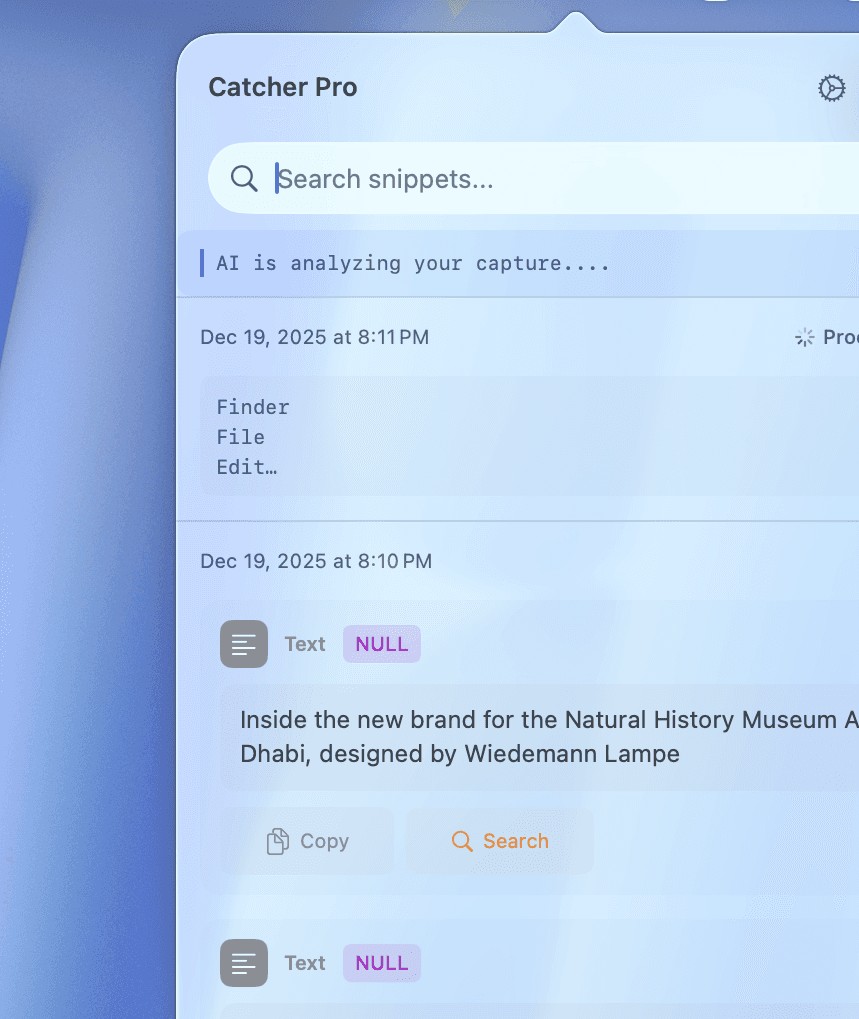
Catcher Pro’s built-in AI analyzes your screen content, prioritizes important text, organizes it neatly, and lets you act on it effortlessly—turning raw information into actionable items.
financial management
AI Organizes Your Text Instantly
Catcher Pro’s built-in AI analyzes your screen content, prioritizes important text, organizes it neatly, and lets you act on it effortlessly—turning raw information into actionable items.
features
Built for Everyone
Developers
Extract code, emails, and technical text directly from your screen with precision. Catcher Pro keeps formatting clean and lets you act instantly.
Developers
Extract code, emails, and technical text directly from your screen with precision. Catcher Pro keeps formatting clean and lets you act instantly.
Personal
Turn everyday screenshots into usable information. From emails to dates and reminders, Catcher Pro helps you move faster and stay organized with zero friction.
Personal
Turn everyday screenshots into usable information. From emails to dates and reminders, Catcher Pro helps you move faster and stay organized with zero friction.
Students
Capture lectures, slides, and study material in seconds. The built-in AI organizes important text for you, making notes easier to review, save, and reuse.
Students
Capture lectures, slides, and study material in seconds. The built-in AI organizes important text for you, making notes easier to review, save, and reuse.
features
Built for Everyone
Developers
Extract code, emails, and technical text directly from your screen with precision. Catcher Pro keeps formatting clean and lets you act instantly.
Personal
Turn everyday screenshots into usable information. From emails to dates and reminders, Catcher Pro helps you move faster and stay organized with zero friction.
Students
Capture lectures, slides, and study material in seconds. The built-in AI organizes important text for you, making notes easier to review, save, and reuse.
“Turn moments into usable knowledge.”
CEO
“Turn moments into usable knowledge.”
CEO
“Honestly impressive. I used to waste a lot of time copying text from screenshots, but Catcher Pro extracts everything cleanly and perfectly organized.”

Alex
User
“The way it automatically detects emails, dates, and code snippets is exactly what I didn’t know I needed.”
Daniel
User
“It feels like having a smart assistant built into my Mac. I just take a screenshot and the rest is done for me.”
Lena
User
“Super fast and very clean UI. It prepares everything for copy without breaking my workflow.”
Mark
User
“Being able to click on a detected email and instantly send a message is such a smart touch. Small detail, big value.”
Sophie
User
“Super fast and very clean UI. It prepares everything for copy without breaking my workflow.”
Mark
User
“It feels like having a smart assistant built into my Mac. I just take a screenshot and the rest is done for me.”
Lena
User
“The way it automatically detects emails, dates, and code snippets is exactly what I didn’t know I needed.”
Daniel
User
“Turn moments into usable knowledge.”
CEO
“Honestly impressive. I used to waste a lot of time copying text from screenshots, but Catcher Pro extracts everything cleanly and perfectly organized.”
Alex
User
“The way it automatically detects emails, dates, and code snippets is exactly what I didn’t know I needed.”
Daniel
User
“It feels like having a smart assistant built into my Mac. I just take a screenshot and the rest is done for me.”
Lena
User
“Super fast and very clean UI. It prepares everything for copy without breaking my workflow.”
Mark
User
“Being able to click on a detected email and instantly send a message is such a smart touch. Small detail, big value.”
Sophie
User
“Super fast and very clean UI. It prepares everything for copy without breaking my workflow.”
Mark
User
“It feels like having a smart assistant built into my Mac. I just take a screenshot and the rest is done for me.”
Lena
User
“The way it automatically detects emails, dates, and code snippets is exactly what I didn’t know I needed.”
Daniel
User
pricing
One Payment, Lifetime Access
Lifetime
Lifetime
€11.99
$87/mo
Smart Mac Screenshot
AI-Powered Screen Capture
Instant Text Organizer
Intelligent Screen Reader
Mac Screenshot Assistant
Lifetime
Lifetime
€11.99
$87/mo
Smart Mac Screenshot
AI-Powered Screen Capture
Instant Text Organizer
Intelligent Screen Reader
Mac Screenshot Assistant
MacOS 26 and above
pricing
One Payment, Lifetime Access
Lifetime
Lifetime
€11.99
$87/mo
Smart Mac Screenshot
AI-Powered Screen Capture
Instant Text Organizer
Intelligent Screen Reader
Mac Screenshot Assistant
MacOS 26 and above

